
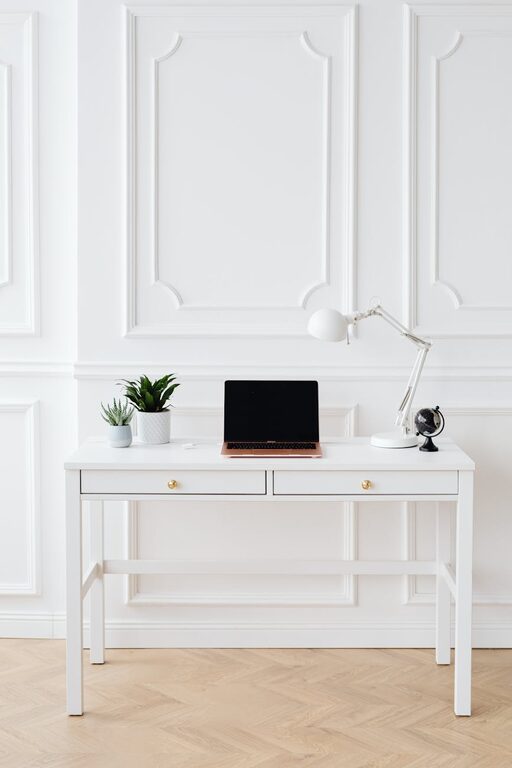
Creating a home office that is both productive and inspiring can make a significant difference in your workday. Whether you work remotely full-time or occasionally need a dedicated space for focused tasks, setting up the right environment helps boost motivation and efficiency. In this post, we’ll explore practical tips to transform any part of your home into a comfortable and functional workspace.
1. Choose the Right Location
Selecting the ideal spot for your home office is the first step. This area should minimize distractions and provide enough space for your work essentials.
– Quiet Area: Find a quiet corner away from high-traffic places like the kitchen or living room.
– Natural Light: Position your desk near a window if possible to take advantage of daylight — natural light can improve mood and reduce eye strain.
– Privacy: If you share your home with others, consider a space with a door or room divider to help separate work from home life.
2. Invest in Comfortable and Ergonomic Furniture
Comfort is key in a space where you might spend several hours a day.
– Ergonomic Chair: Choose a chair that supports your back and promotes good posture.
– Desk: Select a desk with enough surface area to hold your computer, notebooks, and any other tools you regularly use.
– Adjustable Setup: Consider an adjustable desk or monitor stand to align screens at eye level and reduce neck strain.
3. Organize with Purpose
A cluttered workspace can lead to distraction. Keeping your office tidy helps maintain focus.
– Storage Solutions: Use shelves, drawers, or filing cabinets to keep documents and supplies organized.
– Desk Organizers: Small trays or holders for pens, paper clips, and gadgets prevent clutter buildup.
– Cord Management: Use cable clips or sleeves to keep charging cables neat and untangled.
4. Personalize Your Space
Adding personal touches makes your office enjoyable and inviting.
– Inspiring Artwork: Hang pictures or prints that inspire you or boost creativity.
– Plants: Indoor plants not only improve air quality but also add a calming natural element to your workspace.
– Colors: Choose colors that energize or soothe you. For example, blues and greens are often calming, while yellows can promote creativity.
5. Ensure Good Lighting
Proper lighting is essential for productivity and comfort.
– Task Lighting: Use a desk lamp to brighten your workspace and reduce eye fatigue.
– Ambient Lighting: Soft, warm lights can create a pleasant atmosphere without harsh glare.
– Adjustable Lighting: If possible, control the brightness levels to adapt to different times of day or work needs.
6. Minimize Distractions
A distraction-free environment helps maintain flow and efficiency.
– Silence Notifications: Turn off unnecessary phone or computer notifications during focused work periods.
– Sound Control: Use noise-canceling headphones or play background music if it helps you concentrate.
– Clear Visual Clutter: Keep only essential items visible on your desk to prevent visual overload.
7. Keep Technology Up to Date and Accessible
Your tools should support your workflow, not hinder it.
– Reliable Equipment: Use a fast computer, quality headphones, and a good internet connection.
– Ergonomic Accessories: Invest in items like external keyboards and mice to avoid strain.
– Backup Options: Have chargers or spare devices handy to avoid technical disruptions.
8. Take Breaks and Move Around
Sitting for long periods isn’t healthy or productive.
– Scheduled Breaks: Use timers to remind yourself to stand, stretch, or take short walks.
– Active Workspace: Consider a standing desk or balance board to reduce sedentary time.
– Hydration Station: Keep water nearby to stay hydrated and refreshed.
9. Establish Clear Boundaries
It’s important to separate work time from personal time.
– Work Hours: Set specific work hours and communicate them with others in your household.
– End-of-Day Routine: Develop rituals like shutting down your computer or tidying your desk to signal the workday’s end.
– Dedicated Workspace: Avoid doing non-work tasks in your office area to maintain separation.
10. Refresh and Reassess Your Space Regularly
Your needs may change, so update your home office when necessary.
– Seasonal Adjustments: Change lighting or décor to suit seasons and moods.
– Ergonomic Check: Reassess your furniture and tools periodically to avoid discomfort.
– Declutter: Regularly remove items you no longer use to keep your space functional.
—
By intentionally designing your home office with these tips in mind, you create an environment that supports productivity and nurtures inspiration. Remember, the best workspace is one tailored to your personal needs and preferences — don’t hesitate to experiment and find what works best for you. Creating a comfortable and organized setup makes working from home more enjoyable and effective.